The Microsoft Access Dev. Team :: MIA?!

Has anyone else noticed the silence from the Microsoft Access Dev Team lately? It’s like a ghost town.

There haven’t been any roadmap updates, blog posts, MS365 release notes, or announcements in quite some time, and all the existing roadmap items are now well past their expected release dates. We’re nearing the six month mark of nothingness (maybe even more).

This continued lack of communication makes the product look stagnant again, and frankly, it shows a real lack of respect for end users. When Microsoft repeatedly misses roadmap timelines and fails to provide any status updates, it sends the message that the users who rely on Access every day just aren’t a priority.

Continue reading

How Microsoft Set Users Up for Failure with Outlook and OneDrive

Getting a phone call from a client that Outlook was not working seemed like any other support call. I reviewed their setup, checked settings, and everything looked exactly as it had for years. Nothing had changed. After some digging, I decided to move their Outlook pst files out of the Synchronized OneDrive Documents folder into a local folder. They kept insisting I shouldn’t because it had always worked fine, for years now. But as soon as I did, Outlook started working again. That was the moment it became clear that the problem was not Outlook itself, but where Microsoft now chooses to store its data by default.

Historically, Microsoft Outlook stored PST files inside the AppData folder. Most users never saw that location, and that was probably a good thing. It was local, it was not synchronized to the cloud, and it stayed out of the way of background services.

In more recent years, Microsoft changed the default. New PST files were placed in “Documents\Outlook Files”. On the surface, this looked like a usability improvement. The files were easier to find and easier to back up. It felt cleaner and more transparent.

At roughly the same time, Microsoft began aggressively promoting OneDrive integration in Windows. In Windows 11, signing in with a Microsoft account strongly encourages enabling OneDrive folder synchronization. Documents, Desktop, and Pictures are commonly redirected into OneDrive. Many updates once again try to force upon users data synchronization to the cloud via OneDrive as I’ve had a number of clients suddenly have their data synchronized to the cloud after an update even though previously this was not the case!

That is where the design conflict appears.
Continue reading

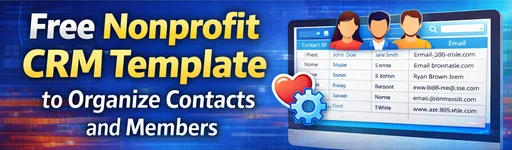
Free Nonprofit CRM Template to Organize Contacts and Members

Over the years, I’ve worked with several charities to help them get their data organized. One of the most common challenges they face is keeping track of their contacts, clients, and members in a clear and consistent way.

Many of these organizations, through no fault of their own, simply don’t have the resources or technical expertise to build a professional database solution. Instead, they often make do with a mix of spreadsheets, usually in Excel, stitched together to somewhat meet their day-to-day needs.

To make things a little easier, I’ve decided to share a simple, bare-bones sample database that can serve as a solid starting point. From here, new features and functionality can be added over time, but this foundation gives non-profits a reliable and well-structured beginning.
 
Continue reading

MS Access VBA – Not In List Event

The On Not in List event in Microsoft Access is triggered when a user types a value into a combo box that doesn’t currently exist in its list of available options if the Limit To List property (on the Data tab of the Property Sheet) is set to Yes. This event allows you to manage how the application responds, most commonly by offering the user a way to add the new value directly to the combo box’s data source which is most often a table.

For instance, imagine you have a combo box that lists available product categories from a Categories table. When a user enters a new category say, “Eco-Friendly” that isn’t already in the list, the Not In List event can prompt the user to confirm whether they’d like to add it. If they agree, your VBA code can insert the new category into the Categories table and then requery the combo box so that the new option appears immediately.
This approach helps maintain consistent data while giving users flexibility to expand predefined lists dynamically, improving workflow and usability.
 
Continue reading

How to Prioritize Wi‑Fi Connections in Windows Using Command Prompt

I actually got the idea for this post after helping someone in a tech forum who was dealing with a super relatable problem in which their laptop kept connecting to the wrong WiFi network at work. They had a bunch of SSIDs floating around the office, and Windows would stubbornly pick the slow guest one every time.

As we dug into it, I showed them a quick little Command Prompt trick to control which WiFi connects first. It’s one of those lesser‑known Windows tweaks that can save a lot of frustration, so I figured it was worth turning into a quick guide in the hopes it might help others.
 
Continue reading

Made O’Meter A Free App to See Where Products Are Manufactured

Made O’Meter is a free app that brings product transparency into your hands!

When you are out shopping, how often have you wondered where a product was made or who really owns the brand behind it? Now there is an easy way to get that information right from your phone.

Made O’Meter is a free mobile app that lets you take a picture of any product while you are browsing in store or online, and instantly shows you:

  • Where the product was manufactured, and
  • Which company owns the brand, including the parent company.

 
Continue reading

They Asked for Feedback, Then Deleted It: A Cautionary Tale About Microsoft’s “Listening” Culture

Microsoft Feedback

Opinion Piece – Based on Real-life Experiences

Microsoft Asked for Feedback But Apparently Only the Feedback They Like

You would think that if a piece of community feedback gets hundreds of upvotes and lively discussion it would be treated as exactly what it is supposed to be meaningful user input. But that is not how things work on Microsoft’s Feedback Portal.

I posted a suggestion that racked up over 375+ upvotes and generated a substantial comment thread only to find it later completely deleted without explanation. The link now leads to nothing but a dead page. Thankfully I captured it using the Wayback Machine so nobody can pretend it never existed.

Here’s an old screenshot of the suggestion itself:

Here is the archived version
New Outlook – VBA Automation

There was no spam. No abuse. Just a popular suggestion with lots of supporting comments from fellow users that quietly vanished.

On its own this would already be troubling. In context it is far worse.
 
Continue reading

Running Command Prompt Commands from VBA

As someone who works extensively in Microsoft Access and Excel, I often need to execute Command Prompt commands from within VBA. The standard WScript.Shell.Run method can run commands easily, but it does not capture or return their output.

To fill that gap, I created CP_GetOutput a VBA function that executes any Command Prompt command and retrieves its textual output, ready to be used in your VBA project.

Today I’m sharing both the code, a brief explanation of how it works and a few examples of who it can be used.
 
Continue reading