It is quite common in applications to allow the user to specify a path and/or filename for saving files.
As such, a best practice would be to validate the user’s input prior to blindly using it and perhaps getting errors and crashing our applications.
Thus, I thought I’d quickly share one possible way to tackle this.
So the first thing to become aware of is that Microsoft Windows has rules that defined what isn’t allowed in file and path names. These rules are elaborated in:

but the highlights of the rules are:
a file name cannot include
- < > : ” / \ | ? *
- Ascii characters 0 through 31
furthermore, the name itself should not be one of the following reseerved words:
- CON,PRN,AUX,NUL,COM0,COM1,COM2,COM3,COM4,COM5,COM6,COM7,COM8,COM9,COM¹,COM²,COM³,LPT0,LPT1,LPT2,LPT3,LPT4,LPT5,LPT6,LPT7,LPT8,LPT9,LPT¹,LPT²,LPT³
there are a couple other things to avoid, but these are the most common aspects to respect.
Now, there are a variety of ways to approach this, we could:
- Use some file API and pass the name and if it errs we know it is invalid
- Build and use RegEx
- Use plain VBA to validate the string
Is The FileName Valid, Or Not? True or False
For today’s discussion, I chose the latter approach. As such, below is a sample function that will validate if the passed filename is acceptable based on the above rules.
'---------------------------------------------------------------------------------------
' Procedure : Filename_IsValid
' Author    : Daniel Pineault, CARDA Consultants Inc.
' Website   : http://www.cardaconsultants.com
' Purpose   : Determine is the proposed filename is valid or not based on Windows
'               naming requirements
' Copyright : The following is release as Attribution-ShareAlike 4.0 International
'             (CC BY-SA 4.0) - https://creativecommons.org/licenses/by-sa/4.0/
' Req'd Refs: None required
'
' Input Variables:
' ~~~~~~~~~~~~~~~~
' sFileName : Filename to validate (including extension)
'
' Usage:
' ~~~~~~
' ? Filename_IsValid("VBA Samples and Explanations.docx")
'   Returns -> True
'
' ? Filename_IsValid("VBA Samples >>> Explanations.docx")
'   Returns -> False
'
' ? Filename_IsValid("COM3.docx")
'   Returns -> False
'
' Revision History:
' Rev       Date(yyyy-mm-dd)        Description
' **************************************************************************************
' 1         2024-03-25              Public Release
' 2         2024-03-28              Filename ending with '..' or '  '
'---------------------------------------------------------------------------------------
Public Function Filename_IsValid(sFilename As String) As Boolean
    On Error GoTo Error_Handler
    Dim iCounter              As Long
    Dim aChars()              As String
    Dim aNames()              As String
    Dim sFilenameWOExt        As String    'Filename without extension
    Dim IsValidFilename       As Boolean
    Const sIllegalChrs = "<,>,:,"",/,\,|,?,*"
    Const sIllegalNames = "CON,PRN,AUX,NUL,COM0,COM1,COM2,COM3,COM4,COM5,COM6,COM7,COM8" & _
          ",COM9,COM¹,COM²,COM³,LPT0,LPT1,LPT2,LPT3,LPT4,LPT5,LPT6,LPT7" & _
          ",LPT8,LPT9,LPT¹,LPT²,LPT³"

    'illegal characters
    aChars = Split(sIllegalChrs, ",")
    For iCounter = 0 To UBound(aChars)
        If InStr(sFilename, aChars(iCounter)) > 0 Then
            IsValidFilename = True
            GoTo ReturnValue
        End If
    Next iCounter

    'Ascii 0 through 31
    For iCounter = 0 To 31
        If InStr(sFilename, Chr(iCounter)) > 0 Then
            IsValidFilename = True
            GoTo ReturnValue
        End If
    Next iCounter

    'Illegal names
    If InStr(sFilename, ".") > 0 Then
        sFilenameWOExt = Left(sFilename, InStrRev(sFilename, ".") - 1)
    Else
        sFilenameWOExt = sFilename    'No Extension
    End If
    aNames = Split(sIllegalNames, ",")
    For iCounter = 0 To UBound(aNames)
        If sFilenameWOExt = aNames(iCounter) Then
            IsValidFilename = True
            GoTo ReturnValue
        End If
    Next iCounter

    'End with '..' or '  '
    If Right(sFilename, 2) = ".." Or _
       Right(sFilename, 2) = "  " Then IsValidFilename = True

ReturnValue:
    Filename_IsValid = Not IsValidFilename

Error_Handler_Exit:
    On Error Resume Next
    Exit Function

Error_Handler:
    MsgBox "The following error has occurred" & vbCrLf & vbCrLf & _
           "Error Source: Filename_IsValid" & vbCrLf & _
           "Error Number: " & Err.Number & vbCrLf & _
           "Error Description: " & Err.Description & _
           Switch(Erl = 0, "", Erl <> 0, vbCrLf & "Line No: " & Erl) _
           , vbOKOnly + vbCritical, "An Error has Occurred!"
    Resume Error_Handler_Exit
End Function
and there you have it a simple function that can validate if a string/filename is acceptable, or not.
Public Sub test()
    Dim sFile                 As String

    sFile = "SomeProposedFile*Name.xlsx"
    If Filename_IsValid(sFile) Then
        'All good, save as
    Else
        'The name is not acceptable, now what?!  MsgBox
        Debug.Print "Uh-oh"
    End If
End Sub
and if we run this sub, we would then get output in the Immediate window:
Uh-oh
(because there is a * in the filename and that is one of the illegal characters)
Save a File
Another approach I have seen mentioned is to simply try and save the file with the given name and trap error that may arise. Here’s an example of one way it can be done:
'---------------------------------------------------------------------------------------
' Procedure : File_IsValidName
' Author    : Daniel Pineault, CARDA Consultants Inc.
' Website   : http://www.cardaconsultants.com
' Purpose   : Determine is the proposed path & filename is valid or not
' Copyright : The following is release as Attribution-ShareAlike 4.0 International
'             (CC BY-SA 4.0) - https://creativecommons.org/licenses/by-sa/4.0/
' Req'd Refs: None required
'
' Input Variables:
' ~~~~~~~~~~~~~~~~
' sFile     : Fully qualified path and filename to validate
'
' Usage:
' ~~~~~~
' File_IsValidName(Environ("Temp") & "\somefile.xlsx")
'   Returns -> True
'
' File_IsValidName(Environ("Temp") & "\somefile>.xlsx")
'   Returns -> False
'
' File_IsValidName(Environ("Temp") & "|\somefile.xlsx")
'   Returns -> False
'
' Revision History:
' Rev       Date(yyyy-mm-dd)        Description
' **************************************************************************************
' 1         2024-03-25              Public release
'---------------------------------------------------------------------------------------
Function File_IsValidName(ByVal sFile As String) As Boolean
    On Error GoTo Error_Handler
    Dim iFileNumber           As Integer

    iFileNumber = FreeFile                   ' Get unused file number
    Open sFile For Append As #iFileNumber    ' Connect to the file
    Close #iFileNumber                       ' Close the file

    File_IsValidName = True
    Kill sFile                               'Remove the test file

Error_Handler_Exit:
    On Error Resume Next
    Exit Function

Error_Handler:
    If Err.Number = 52 Then
        'Bad file name or number
    Else
        MsgBox "The following error has occurred" & vbCrLf & vbCrLf & _
               "Error Source: File_IsValidName" & vbCrLf & _
               "Error Number: " & Err.Number & vbCrLf & _
               "Error Description: " & Err.Description & _
               Switch(Erl = 0, "", Erl <> 0, vbCrLf & "Line No: " & Erl) _
               , vbOKOnly + vbCritical, "An Error has Occurred!"
    End If
    Resume Error_Handler_Exit
End Function
I’m not a big fan of this approach as it is making useless I/O operations and we can properly validate things, as shown with the Filename_IsValid() function, with a little VBA and do everything in memory which is faster as well.
Basic ASCII Characters Only
Another great way to approach this is to simply limit the names of files and path to only use the basic ASCII characters: a-z, A-z, 0-9. This way you ensure no issues with special/invalid characters!
A RegEx Test is one way to approach to test this, refer to:
and taking things a little further we could build a function such as:
'---------------------------------------------------------------------------------------
' Procedure : RegEx_File_IsValidName
' Author    : Daniel Pineault, CARDA Consultants Inc.
' Website   : http://www.cardaconsultants.com
' Purpose   : Determine is the proposed path & filename is valid or not
' Copyright : The following is release as Attribution-ShareAlike 4.0 International
'             (CC BY-SA 4.0) - https://creativecommons.org/licenses/by-sa/4.0/
' Req'd Refs: Late Binding  -> none required
'
' Input Variables:
' ~~~~~~~~~~~~~~~~
' sFile     : Fully qualified path and filename to validate
'
' Usage:
' ~~~~~~
' RegEx_File_IsValidName(Environ("Temp") & "\somefile.xlsx")
'   Returns -> True
'
' RegEx_File_IsValidName(Environ("Temp") & "\somefile>.xlsx")
'   Returns -> False
'
' RegEx_File_IsValidName(Environ("Temp") & "|\somefile.xlsx")
'   Returns -> False
'
' Revision History:
' Rev       Date(yyyy-mm-dd)        Description
' **************************************************************************************
' 1         2024-03-25              Public release
'---------------------------------------------------------------------------------------
Public Function RegEx_File_IsValidName(ByVal sFile As String) As Boolean
    On Error GoTo Error_Handler
    Dim oRegEx                As Object

    Set oRegEx = CreateObject("VBScript.RegExp")
    oRegEx.Pattern = "^(?:[a-zA-Z]:(?:\\[^\\/:*?""<>|\r\n]+)*\\?|\\\\[^\\/:*?""<>|\r\n]+\\[^\\/:*?""<>|\r\n]+(?:\\[^\\/:*?""<>|\r\n]+)*\\?)$"
    RegEx_File_IsValidName = oRegEx.test(sFile)

Error_Handler_Exit:
    On Error Resume Next
    If Not oRegEx Is Nothing Then Set oRegEx = Nothing
    Exit Function

Error_Handler:
    MsgBox "The following error has occured" & vbCrLf & vbCrLf & _
           "Error Number: " & Err.Number & vbCrLf & _
           "Error Source: RegEx_File_IsValidName" & vbCrLf & _
           "Error Description: " & Err.Description & _
           Switch(Erl = 0, "", Erl <> 0, vbCrLf & "Line No: " & Erl) _
           , vbOKOnly + vbCritical, "An Error has Occured!"
    Resume Error_Handler_Exit
End Function
If you’re going this route, using RegEx, seriously consider using Self-Healing Object Variables!!!
More Information Please!
The above returns simply True/False, but in some case we want details so we might make the user aware of the exact issue so they may correct it and resubmit the name. As such, we could further customize the above function and get:
'---------------------------------------------------------------------------------------
' Procedure : Filename_IsValid2
' Author    : Daniel Pineault, CARDA Consultants Inc.
' Website   : http://www.cardaconsultants.com
' Purpose   : Determine is the proposed filename is valid or not based on Windows
'               naming requirements
' Copyright : The following is release as Attribution-ShareAlike 4.0 International
'             (CC BY-SA 4.0) - https://creativecommons.org/licenses/by-sa/4.0/
' Req'd Refs: None required
'
' Input Variables:
' ~~~~~~~~~~~~~~~~
' sFileName : Filename to validate (including extension)
' sProblem  : Variable that returns the exact nature of the file name error
'
' Usage:
' ~~~~~~
' ? Filename_IsValid2("VBA Samples and Explanations.docx", sFileNameError)
'   Returns -> True, sFileNameError -> ''
'
' ? Filename_IsValid2("VBA Samples >>> Explanations.docx", sFileNameError)
'   Returns -> False, sFileNameError -> 'Invalid Characters '>''
'
' ? Filename_IsValid2("COM3.docx", sFileNameError)
'   Returns -> False, sFileNameError -> 'Invalid Name 'COM3''
'
' Revision History:
' Rev       Date(yyyy-mm-dd)        Description
' **************************************************************************************
' 1         2024-03-25              Public Release
' 2         2024-03-28              Filename ending with '..' or '  '
'---------------------------------------------------------------------------------------
Public Function Filename_IsValid2(sFilename As String, _
                                  ByRef sProblem As String) As Boolean
    On Error GoTo Error_Handler
    Dim iCounter              As Long
    Dim aChars()              As String
    Dim aNames()              As String
    Dim sFilenameWOExt        As String    'Filename without extension
    Dim IsValidFilename       As Boolean
    Const sIllegalChrs = "<,>,:,"",/,\,|,?,*"
    Const sIllegalNames = "CON,PRN,AUX,NUL,COM0,COM1,COM2,COM3,COM4,COM5,COM6,COM7,COM8" & _
          ",COM9,COM¹,COM²,COM³,LPT0,LPT1,LPT2,LPT3,LPT4,LPT5,LPT6,LPT7" & _
          ",LPT8,LPT9,LPT¹,LPT²,LPT³"

    'illegal characters
    aChars = Split(sIllegalChrs, ",")
    For iCounter = 0 To UBound(aChars)
        If InStr(sFilename, aChars(iCounter)) > 0 Then
            IsValidFilename = True
            sProblem = "Invalid Characters '" & aChars(iCounter) & "'"
            GoTo ReturnValue
        End If
    Next iCounter

    'Ascii 0 through 31
    For iCounter = 0 To 31
        If InStr(sFilename, Chr(iCounter)) > 0 Then
            IsValidFilename = True
            sProblem = "Invalid ASCII Characters '" & iCounter & "'"
            GoTo ReturnValue
        End If
    Next iCounter

    'Illegal names
    If InStr(sFilename, ".") > 0 Then
        sFilenameWOExt = Left(sFilename, InStrRev(sFilename, ".") - 1)
    Else
        sFilenameWOExt = sFilename    'No Extension
    End If
    aNames = Split(sIllegalNames, ",")
    For iCounter = 0 To UBound(aNames)
        If sFilenameWOExt = aNames(iCounter) Then
            IsValidFilename = True
            sProblem = "Invalid Name '" & sFilenameWOExt & "'"
            GoTo ReturnValue
        End If
    Next iCounter

    'End with '..' or '  '
    If Right(sFilename, 2) = ".." Then
        IsValidFilename = True
        sProblem = "Cannot end a file name with '..'"
        GoTo ReturnValue
    End If
    If Right(sFilename, 2) = "  " Then
        IsValidFilename = True
        sProblem = "Cannot end a file name with '  '"
        GoTo ReturnValue
    End If

ReturnValue:
    Filename_IsValid2 = Not IsValidFilename

Error_Handler_Exit:
    On Error Resume Next
    Exit Function

Error_Handler:
    MsgBox "The following error has occurred" & vbCrLf & vbCrLf & _
           "Error Source: Filename_IsValid2" & vbCrLf & _
           "Error Number: " & Err.Number & vbCrLf & _
           "Error Description: " & Err.Description & _
           Switch(Erl = 0, "", Erl <> 0, vbCrLf & "Line No: " & Erl) _
           , vbOKOnly + vbCritical, "An Error has Occurred!"
    Resume Error_Handler_Exit
End Function
Public Sub test()
    Dim sFile                 As String
    Dim sFileNameError        As String

    sFile = "COM3.docx"
    If Filename_IsValid2(sFile, sFileNameError) Then
        'All good, save as
        Debug.Print "'" & sFileNameError & "'"
    Else
        'The name is not acceptable, now what?!  MsgBox
        Debug.Print "'" & sFileNameError & "'"
    End If
End Sub
and in the case of the above we would get an output in the immediate window of:
'Invalid Name 'COM3''
Naming Convention!
Perhaps the better approach, instead of letting users have complete free reign in naming files, would be to devise and code a File Naming Convention (FNC). This standardizes file names, makes them easier to easily decipher, simplifies sorting and can avoid the entire issue of having potentially invalid file names.
Typically, in a FNC we might see:
- Date
- Category/Subject
- Name
- Revision
20240313_Engineering_RFC_V12RevA.docx
The objective should be to provide a name that provide as much information as possible in the shortest name possible. You should not build filename that take 100-150+ characters.
Even Harvard recommends it:
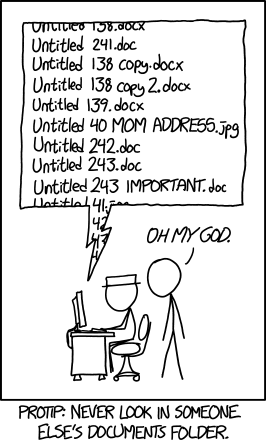
Such a format could then easily be incorporated into a form with various choices made by the users and the filename automatically generated based on those choices.
In my career, I’ve also been exposed to alphanumeric naming conventions, things like:
095ATP45_2.1.doc
where the name itself can be broken down into components like:
- 095 -> HR
- ATP -> New Employee User Manual
- 45 -> James Carleson
- 2.1 -> Revision Number
This is not a great approach as it requires one to always have the corporate naming convention to decipher what the document actually is! Things should be easily understood by simply looking at the name!!