As developers our primary job is to facilitate our user’s interaction with the data. One way to provide easy access to functionalities (sorting, filtering, …) is by creating Right-Click Context Menus. Sadly, Microsoft has, in recent years, made this even more complicated than it already was and it is quite undertaking to say the least!
Thankfully, Dale Fye, fellow MS Access MVP, has created a really nice add-in, the Access Shortcut (right-click) Tool, to completely revolutionize the task of creating such context menus.
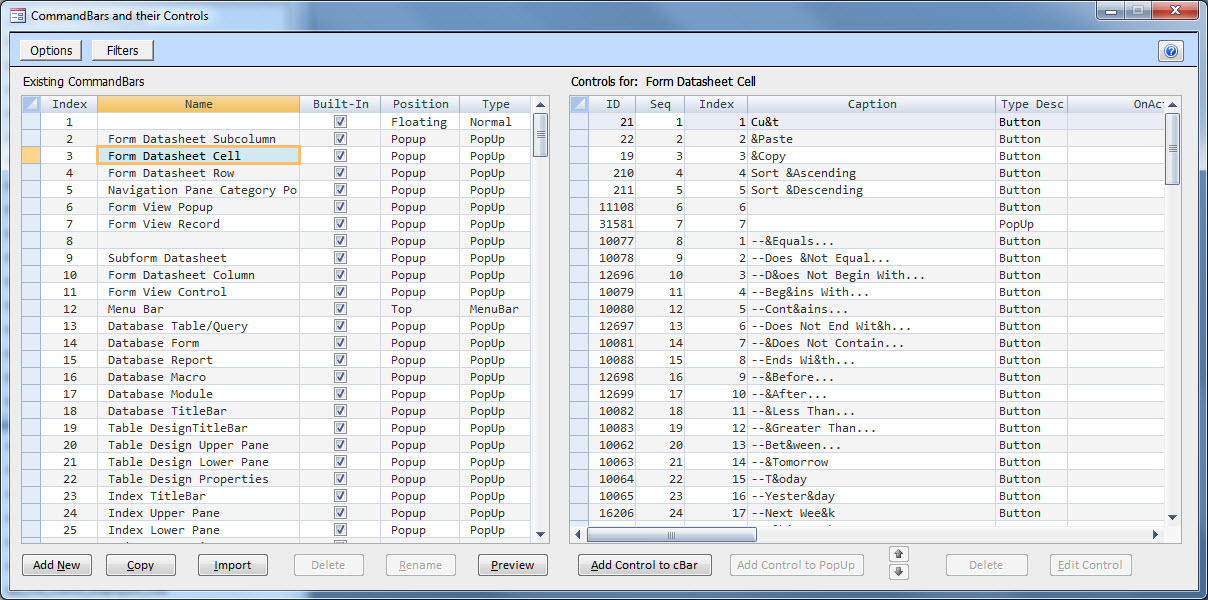
Through the use of his add-in, you simply fill in a couple menus to make selections and apply settings and the next thing you know you have fully functioning MS Access right-click context menus in your database!
The entire process is GUI driven, so it truly is a breeze.


and you end up with context menus such as (this is just a quick example I put together for my Contact Database for illustrative purposes):

If you are looking to create context-menus, seriously consider looking over his add-in, I don’t think you’ll be disappointed.
Dale offers a fully functional demo version and he has both x32 and x64 versions of his tool!
The links provided above aren’t working. Is this tool still available>
Yes, sadly his site was taken offline recently and he is in the process of moving it to a new host. Hopefully it will be operational again soon.
Unfortunately, but the links do not work.
No. The site is currently down due to hosting issues, but Dale informed me that he will have everything back up and running by the New Year. So it should be back shortly.
is there any news about that or somthing same?
His site is back up, and I just updated the links in my article so everything should be in order now.