
A quick warning to anyone looking to do Power Automate Flow development.
I’ve been doing some Flow development and started experiencing a really weird issue; variables loosing their values!
So I have longstanding flows and needed to make a small change to an ‘Execute stored procedure (V2)’ action. I add a parameter to the action in question and then click Save and Power Automate return an
Invalid parameter for ‘Set variable …’. Error: ‘Value’ is required.
Flow show the following:
Notification bar

Information side-panel
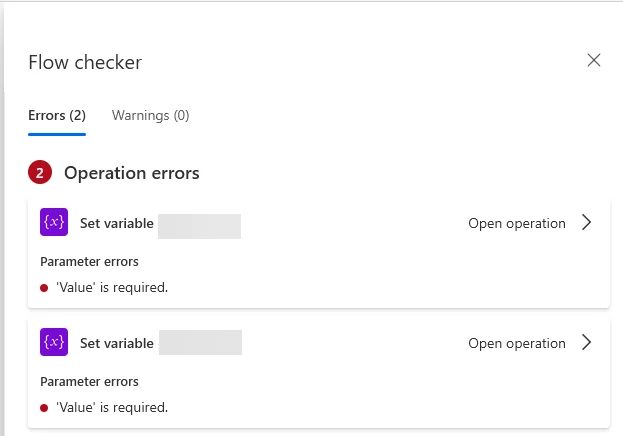
and when I go to the action in question this is what is shown
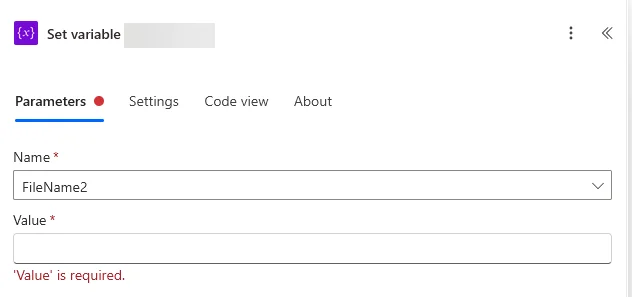
This issue here is 3 fold!
- I didn’t edit the action it is referring to in the error message
- The action in question previously had a value (a user definer string manipulation function) and is now gone without any end-user interaction?!
- This only seems to impact Set variable actions (as it impacts both such actions in my flow)
Human Error At Play? I Think Not.
At first, I thought I had inadvertently made some mistake, but I have been able to replicate this multiple times by simply opening the Flow, and trying to save it without editing a single thing! So there is most definitely some bug at play here.
The Solution
So word to the wise, before editing any flows, get in the habit of always making a backup copy first! This way should this error, or any other error occur, you can simply open the original version of the flow and copy/paste values over to the edited version you’re working on saving you time and frustrations!