
I briefly mentioned this new feature in my update to my post
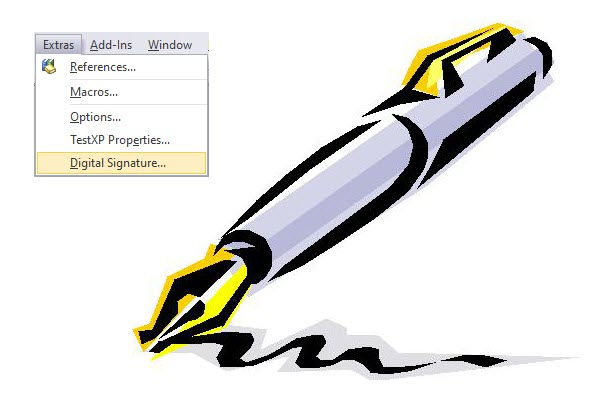
but let’s formally acknowledge the fact that Microsoft has released a new “Tools/Digital Signature command” even though the Access Dev Team have yet to:
- Add it to their own roadmap!
- Post about it in their own blog!
- Publish any in-depth documentation
(Update 2023-01-12 – A week has gone by (released Jan 4th) and there is still no sign of any official announcements, publication on the blog or on the roadmap. )
According to:

the latest build ‘Version 2212 (Build 15928.20198)‘ includes:
So it is now possible to sign an Access database to automatically enable the content even in environment where it might be locked down and no longer require the creation of a Trusted Location for code to run.
Not to be too critical, but isn’t the statement:
the most useless statement ever. Signing a database makes it work in environments where only signed code should run. No duh! Kind of the purpose, no?!
The only official information on the subject can be located at:

What Are My Thoughts On The Matter?
Although this seemed very promising initially, I quickly lost my interest because of the variety of limitations that these database digital signatures have.
Thus, before diving in head first, I urge you to carefully read the “Digitally sign an Access 2013 or later database” section in the above article. Also, note there are other limitations and I’m hoping the Dev Team will publish some proper documentation on the matter to clarify much of all of this so developers don’t go down this road, go through the process of purchasing certificates… only to ultimately find out it won’t work with their database/code.
I got to also say that with verbiage like “that you believe a database is safe” it doesn’t instill that much confidence as far as I’m concerned. So anyone can sign anything, the potential risk remains then.
As for me, I’m still waiting to see if we will ever see a new Web Browser control or an improved SQL Editor in Access and if either will live up to expectations! Or any of the hundreds of suggestions made via UserVoice and now the Feedback portal that have gone ignored for years and years now.
Other Resources on the Subject
You may also like to review:
Interesting. I was reading the Microsoft page and was confused by the statement “If your application modifies the database in a way that will invalidate the signature, for example, by creating a new action query”. You mean you can’t sign databases that use code to create action queries? Then, what’s the point of digitally signing databases? So only small, simple databases will work, but any true production, complex databases can’t effectively be signed?!
Yes, that’s my understanding as well and there are other exceptions like that. This is why I too was initially interested by this feature, but quickly shied away.
What I also have to wonder here is why this was a priority in the first place. I quickly checked on the Feedback portal and Digital signing is on the 3rd pages of requests (sorted by number of votes) and only has 11 votes! Compare that to LAA, VSCode integration, Form resizing, … once again showing how much Microsoft does as they see fit, and ignore such tools, which are nothing more than PR tools to ‘show that they care and listen’.
In diesem Punkt stimme ich Daniel zu. So viele andere Elemente brauchen Aufmerksamkeit.
“I agree with Daniel on this point. So many other elements need attention.” — Translation added by admin